

This guide explains how to use physics assets and clothing assets with the Mutable plugin.
Physics Assets
When a Mutable mesh is assembled, by default the mesh component's reference mesh PhysicsAsset is assigned to it. With simple setups this will suffice, unless the CustomizableObject has parts with very different proportions.
To solve these cases, a more modular approach can be achieved with Mutable support for PhysicsAsset merging. This option that can be enabled in the CutsomizableObject compilation options. Go to the Object Properties tab and click Compile Options > Enable Physics Asset Merging.
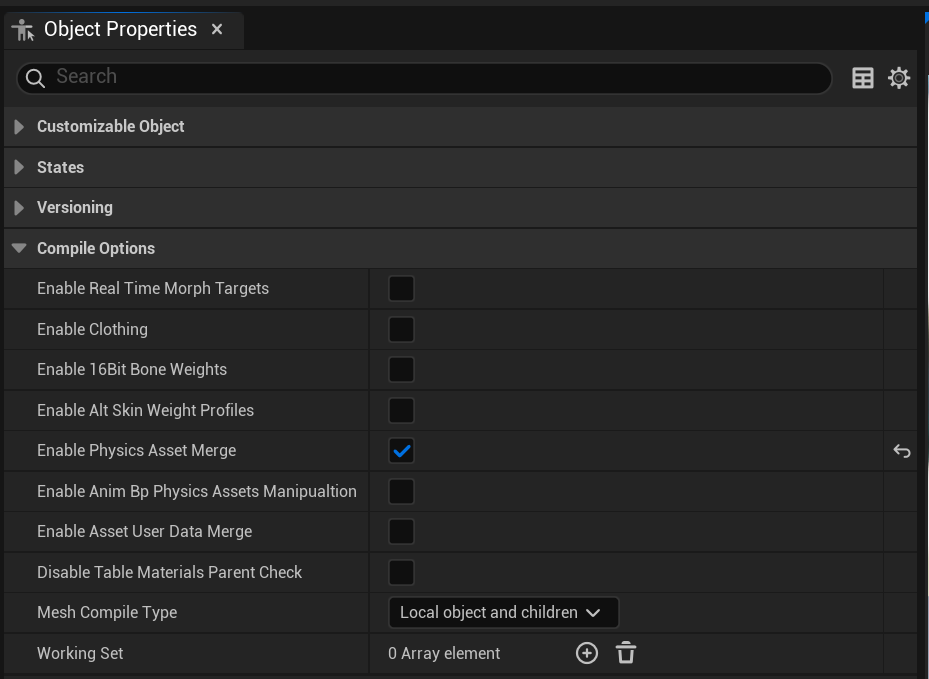
When enabled, all the PhysicsAssets from the meshes used in the generation of an instance skeletal mesh component will be merged into a single PhysicsAsset. If only one PhysicsAsset is found, and no modification to the body shapes is detected, then nothing is merged, and the original asset is assigned to the generated mesh.
When merging does happen, the generated PhysicsAsset will use the PhysicsAsset in the CustomizableObject components reference SkeletalMesh as a template for the Solver Settings and Solver Type. BodySetups and Constrains will be merged form the constituent PhysicsAssets.
If the PhysicsAssets to merge are complementary and no bone used for one BodySetup in a PhysicsAsset is also used for another PhysicsAsset, then no conflicts can occur and the expected physics asset will be generated.
This might not always be possible, for example, if some customizable parts from different meshes could collide. In that case, some interfacing between the two PhysicsAsset is needed. This can be achieved by adding setups that use the same bone in different physics assets body setups. When merging setups, the shapes of both setups are aggregated and properties are copied from the first body encountered for a given bone. There is no guarantee from which body setup the properties will be copied and, in general, the same properties should be set for possible setups that could be merged.
Skeletal Mesh Clothing Assets
Mutable supports transfer of clothing simulation data to the generated skeletal meshes.
This feature needs to be enabled per CutomizableObject in its compilation options. Go to the Object Properties tab and click Compile Options > Enable Clothing.
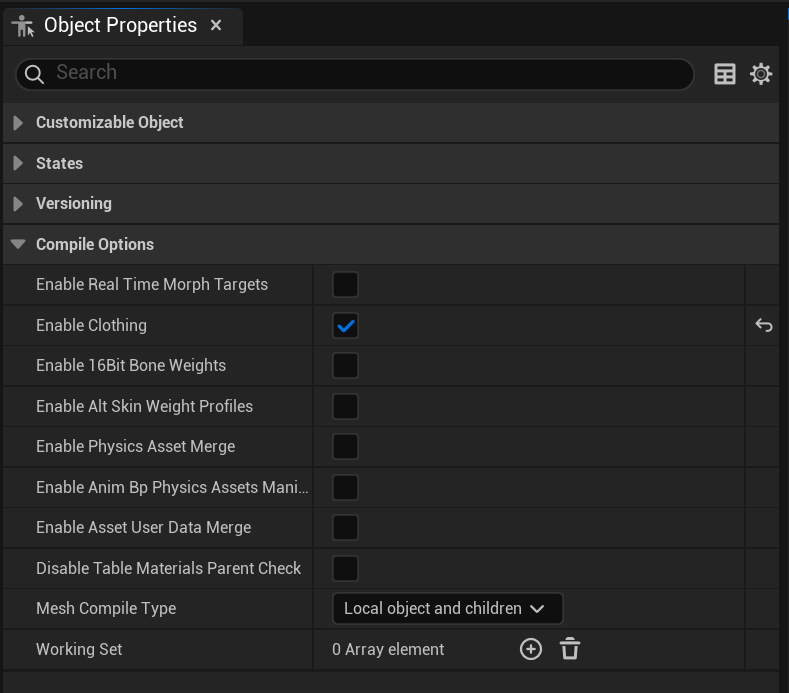
Once enabled, if a skeletal mesh section has clothing assets attached and participates of the final generated mutable mesh, the simulation data will be transferred to it.
If parts of a mesh with clothing simulation attached have been removed, the simulation mesh triangles associated with those parts will be removed as well. When removing mesh triangles, Mutable uses the association between the simulation mesh and the render mesh. The parts of the simulation mesh that don't have this association after the render mesh has been processed by Mutable will be removed.
Clothing assets may have configurations that control some simulation properties, such as iterations or subdivisions shared for all mesh sections with clothing in a skeletal mesh. These are assumed to be the same for all skeletal meshes involved in a CustomizableObject. If multiple shared configurations are found, the first one will be used.
Generated clothing simulation meshes can be visualized using the Customizable Object preview. In the Character menu, click Physical Mesh (Wireframe).
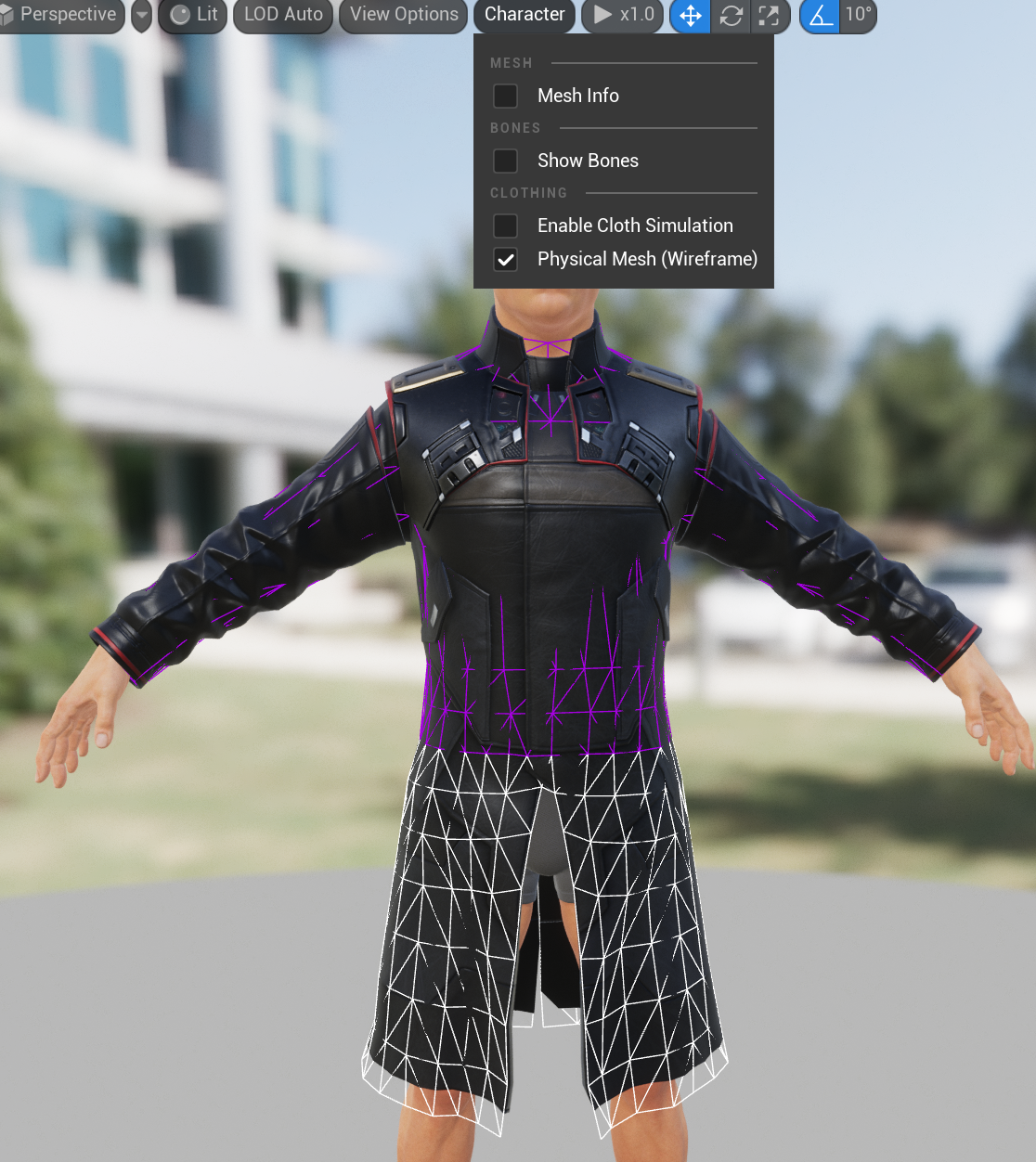
If a more detailed visualization is needed, use the regular skeletal mesh viewer.
Current limitations
Unsupported operations
One of the main limitations of this feature is that mesh section extensions are not supported. Each mesh part with clothing needs its own mesh section, and merging of clothing assets is not supported.
Simulation mesh face removal edge cases
The removal of the simulation mesh parts is done using the association between the render mesh and the simulation mesh. If parts of the original simulation are not associated with any part of the render mesh, these will be removed, even if no remove operations are performed.
Multiple influences
Clothing with multiple influences is not supported. In case the asset uses them, the resulting asset will only use the influences with higher weight.