

This page is not available in the language you have chosen. It will be displayed in English by default. If you would like to view it in a different language, you can try selecting another language.
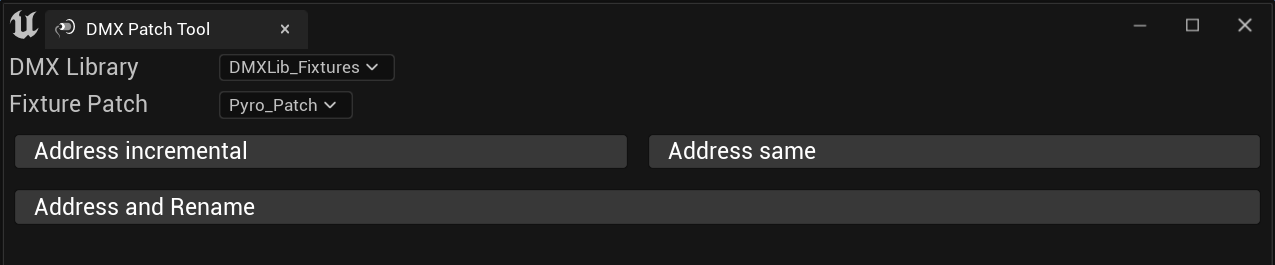
The DMX Patch tool provides you a way to quickly set the DMX library and patch of a given selection of actors within the World Outliner.
A DMX library is the main data structure that holds information in regards to:
- Controllers
- Fixture types
- Fixture patches
A DMX patch tracks DMX addresses, and assigns the patching of DMX-enabled fixtures.
The DMX Patch tool offers 3 functionalities:
- Address incremental
- Address same
- Address and rename
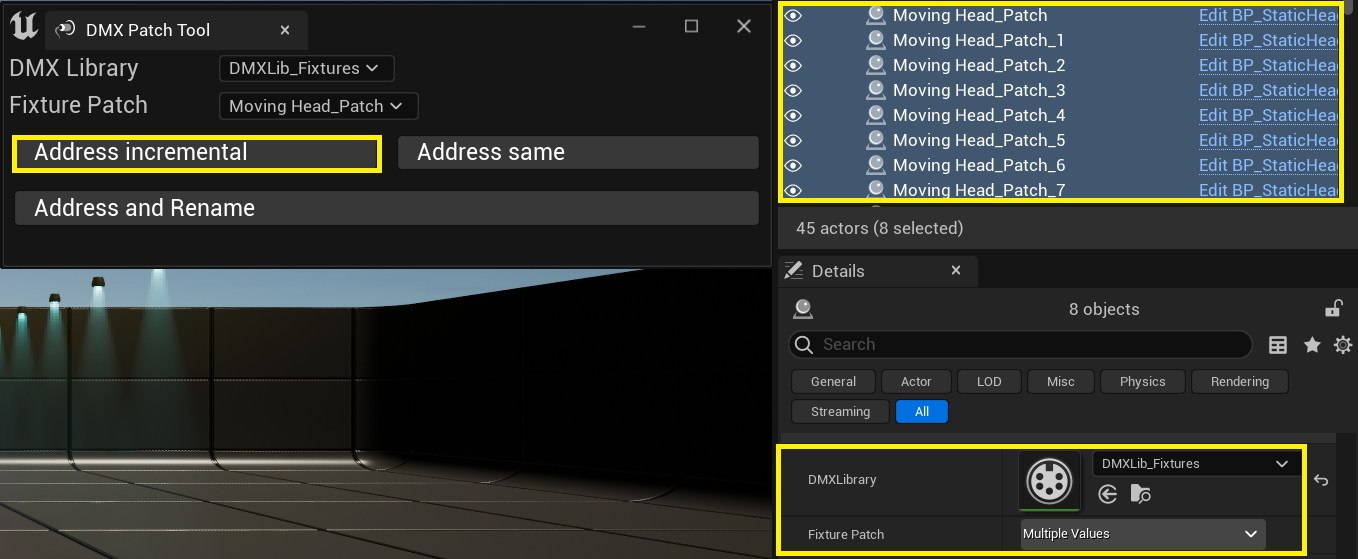
Address incremental
- Applies the selected DMX library to all selected actors.
- Applies patches incrementally starting from the provided fixture patch.
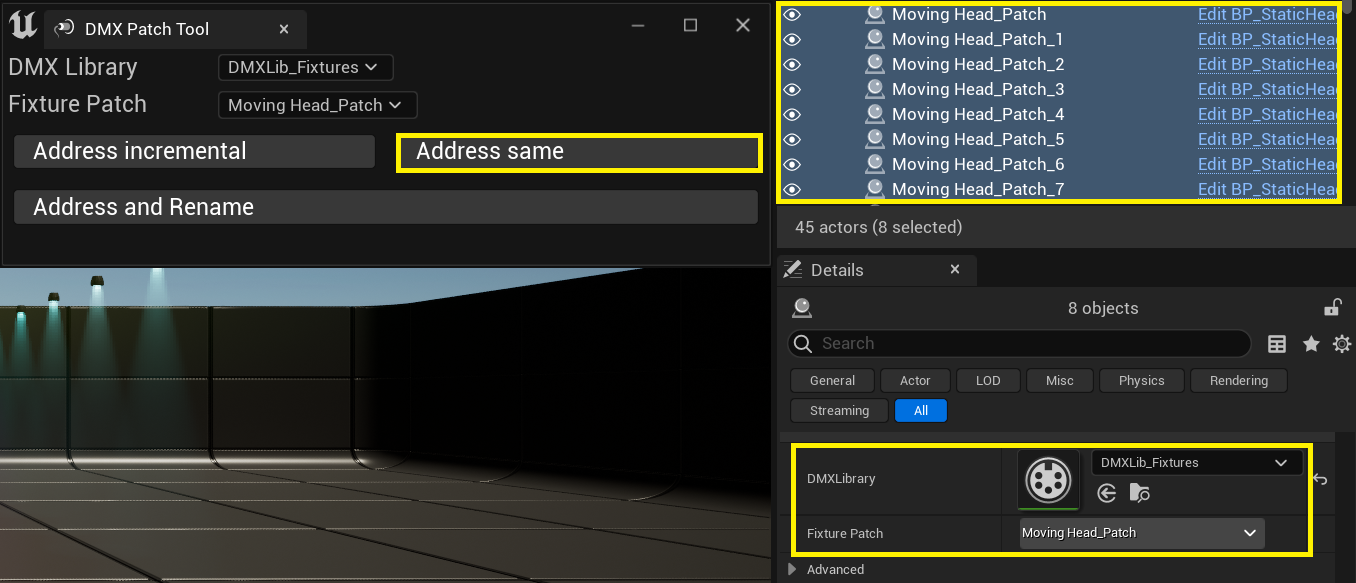
Address same
- Applies the selected DMX library to all selected actors.
- Applies the same patch to all selected actors.
Address and rename
- Applies the selected DMX library to all selected actors.
- Applies the same patch to all selected actors.
- Also renames the selected actors so they match the provided patch names.
For more information on DMX patches and libraries, see the DMX Overview.