
The Gradient functions produce procedurally generated gradients made from Texture coordinate expressions. They save memory over having to create a texture-based gradient.
Gradient Functions
Below is a list of the gradient functions.
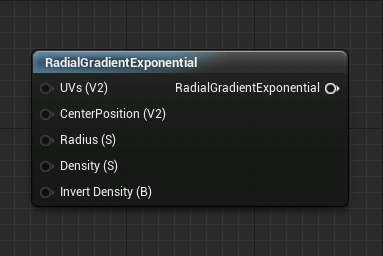
Radial Gradient Exponential
The RadialGradientExponential function uses UV channel 0 to produce a radial gradient, giving the user the ability to adjust the radius and offset the center point.
| Item | Description |
|---|---|
| Inputs | |
| UVs (Vector 2) | Allows the ability to control where the gradient resides and how much it covers of the 0-1 space. |
| CenterPosition (Vector2) | A 0-1 based offset for the position of the gradient's center. |
| Radius (Scalar) | The size of the radial gradient from its center. The default of 0.5 puts the edges of the gradient at about the edge of the texture space. |
| Density (Scalar) | Adjusts the hardness of the resultant gradient generated by the Function. The higher the number means the sharper the gradient. |
| Invert Density (Boolean) | Inverts white into black and black into white for the gradient. |
 |
|
| Default Output Result |
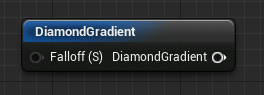
Diamond Gradient
The DiamondGradient function uses UV channel 0 to produce a radial gradient, giving the user the ability to adjust the falloff rate of the gradient.
| Item | Description |
|---|---|
| Inputs | |
| Falloff (Scalar) | Boosts gradient contrast by controlling how quickly the gradient shifts from white to black. |
 |
|
| Default Output Result |
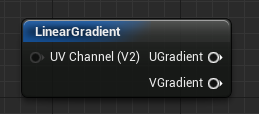
Linear Gradient
The LinearGradient function uses UV channel 0 to generate a linear gradient in either the U or V direction, depending on which output is used.
| Item | Description |
|---|---|
| Outputs | |
| UGradient | Outputs a linear gradient in the U direction. |
| VGradient | Outputs a linear gradient in the V direction. |
 |
Default U Output Result |
 |
Default V Output Result |
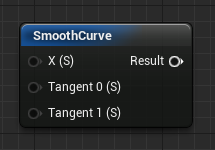
Smooth Curve
The SmoothCurve function takes in an existing texture channel or gradient and uses a procedural curve to control the transition from dark to light. The user can adjust the tangents of this curve to change the result.
| Item | Description |
|---|---|
| Inputs | |
| Tangent 1 (Scalar) | Controls the angle of the second tangent of the curve. |
| X (Scalar) | The incoming texture channel or gradient. |
| Tangent 0 (Scalar) | Controls the angle of the first tangent of the curve. |
 |
|
| Default Output Result |
Value Step
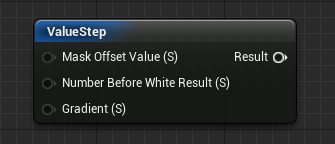
The ValueStep function takes in an existing texture channel or gradient and outputs a pure black and white image based on inputs from the user. The result is a mask that represents what portion of the gradient equals the value of the inputs.
| Item | Description |
|---|---|
| Inputs | |
| Mask Offset Value (Scalar) | Offsets where the black spots are placed on the result. |
| Number Before White Result (Scalar) | Controls the upper limit of values that output to black. For example, if you have a gradient that goes from 0-10 and you set this value to 9, then all values between 0-9 will be black. 10 will be white. |
| Gradient (Scalar) | Takes in a gradient with values above 1. |
 |
|
| Default Output Result |