
Mesh Paint モードは、メッシュ上で色とテクスチャを迅速かつ簡単に調整できる手段です。このセクションでは、このパワフルなツールを最大限に活用するために必要な重要なスキルを説明してきます。
はじめに
高度なトピック
エディタ ツールを使用する際には、ツールを使ってメッシュに与えたい影響について考える必要があります。 以下のトピックでは、レベルに配置した個々のメッシュ インスタンスにメッシュ ペイントがどのようにペイントするのか、マルチ テクスチャ設定に対する Blend Weight 値のペイント方法について説明します。
[REGION:topics fourth] [OBJECT:TopicCompact] [PARAM:image]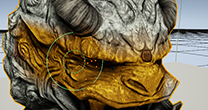 [/PARAM]
[PARAM:title]
[/PARAM]
[PARAM:title]
%building-virtual-worlds/level-editor/level-editor-modes/mesh-paint-mode/vertex-color/asset-vs-instance:Title%
[/PARAM] [PARAM:path][RELATIVE:building-virtual-worlds/level-editor/level-editor-modes/mesh-paint-mode/vertex-color/asset-vs-instance]
[/PARAM] [/OBJECT] [OBJECT:TopicCompact] [PARAM:image]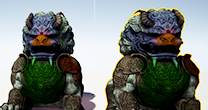 [/PARAM]
[PARAM:title]
[/PARAM]
[PARAM:title]
%building-virtual-worlds/level-editor/level-editor-modes/mesh-paint-mode/vertex-color/sharing-color-data:Title%
[/PARAM] [PARAM:path][RELATIVE:building-virtual-worlds/level-editor/level-editor-modes/mesh-paint-mode/vertex-color/sharing-color-data]
[/PARAM] [/OBJECT] [OBJECT:TopicCompact] [PARAM:image]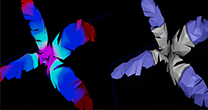 [/PARAM]
[PARAM:title]
[/PARAM]
[PARAM:title]
%building-virtual-worlds/level-editor/level-editor-modes/mesh-paint-mode/vertex-color/vertex-color-matching:Title%
[/PARAM] [PARAM:path][RELATIVE:building-virtual-worlds/level-editor/level-editor-modes/mesh-paint-mode/vertex-color/vertex-color-matching]
[/PARAM] [/OBJECT] [/REGION]マテリアルの設定
頂点カラーデータはメッシュからマテリアルへ渡されるため、メッシュ ペイント システムではメッシュのマテリアルに Vertex Color ノードを含む必要があります。以下のトピックでは、メッシュペイント モードで使用できるように、マテリアルの設定方法について紹介します。
[REGION:topics fifth] [OBJECT:TopicCompact] [PARAM:image]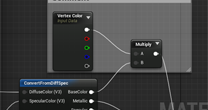 [/PARAM]
[PARAM:title]
[/PARAM]
[PARAM:title]
%building-virtual-worlds/level-editor/level-editor-modes/mesh-paint-mode/vertex-color/material-setup:Title%
[/PARAM] [PARAM:path][RELATIVE:building-virtual-worlds/level-editor/level-editor-modes/mesh-paint-mode/vertex-color/material-setup]
[/PARAM] [/OBJECT] [OBJECT:TopicCompact] [PARAM:image] [/PARAM]
[PARAM:title]
[/PARAM]
[PARAM:title]
%building-virtual-worlds/level-editor/level-editor-modes/mesh-paint-mode/vertex-color/material-setup\2-way:Title%
[/PARAM] [PARAM:path][RELATIVE:building-virtual-worlds/level-editor/level-editor-modes/mesh-paint-mode/vertex-color/material-setup\2-way]
[/PARAM] [/OBJECT] [OBJECT:TopicCompact] [PARAM:image] [/PARAM]
[PARAM:title]
[/PARAM]
[PARAM:title]
%building-virtual-worlds/level-editor/level-editor-modes/mesh-paint-mode/vertex-color/material-setup\3-way:Title%
[/PARAM] [PARAM:path][RELATIVE:building-virtual-worlds/level-editor/level-editor-modes/mesh-paint-mode/vertex-color/material-setup\3-way]
[/PARAM] [/OBJECT] [OBJECT:TopicCompact] [PARAM:image] [/PARAM]
[PARAM:title]
[/PARAM]
[PARAM:title]
%building-virtual-worlds/level-editor/level-editor-modes/mesh-paint-mode/vertex-color/material-setup\4-way:Title%
[/PARAM] [PARAM:path][RELATIVE:building-virtual-worlds/level-editor/level-editor-modes/mesh-paint-mode/vertex-color/material-setup\4-way]
[/PARAM] [/OBJECT] [OBJECT:TopicCompact] [PARAM:image] [/PARAM]
[PARAM:title]
[/PARAM]
[PARAM:title]
%building-virtual-worlds/level-editor/level-editor-modes/mesh-paint-mode/vertex-color/material-setup\5-way:Title%
[/PARAM] [PARAM:path][RELATIVE:building-virtual-worlds/level-editor/level-editor-modes/mesh-paint-mode/vertex-color/material-setup\5-way]
[/PARAM] [/OBJECT] [/REGION]