

This page is not available in the language you have chosen. It will be displayed in English by default. If you would like to view it in a different language, you can try selecting another language.
Here are a couple of console commands you can use while in game to give you information on the collision in your game.
- Run your game.
- Hit the ` (back tick/tilde key) to bring up the console input box.
-
Enter one of the following commands:
-
show COLLISION - This will draw all collision models and blocking volumes in use in the level.
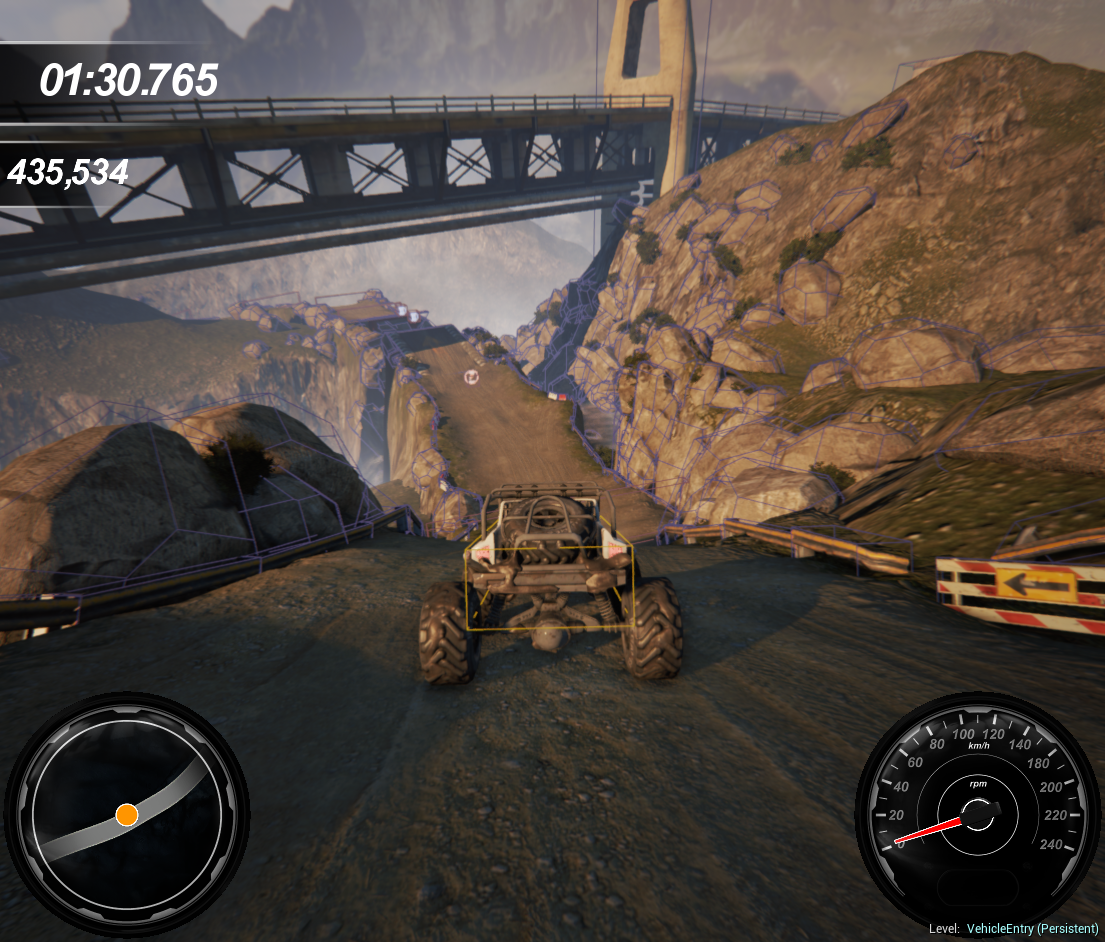
-
stat game - This shows you various useful stats on how long different types of collision are taking.

-