This page is not available in the language you have chosen. It will be displayed in English by default. If you would like to view it in a different language, you can try selecting another language.
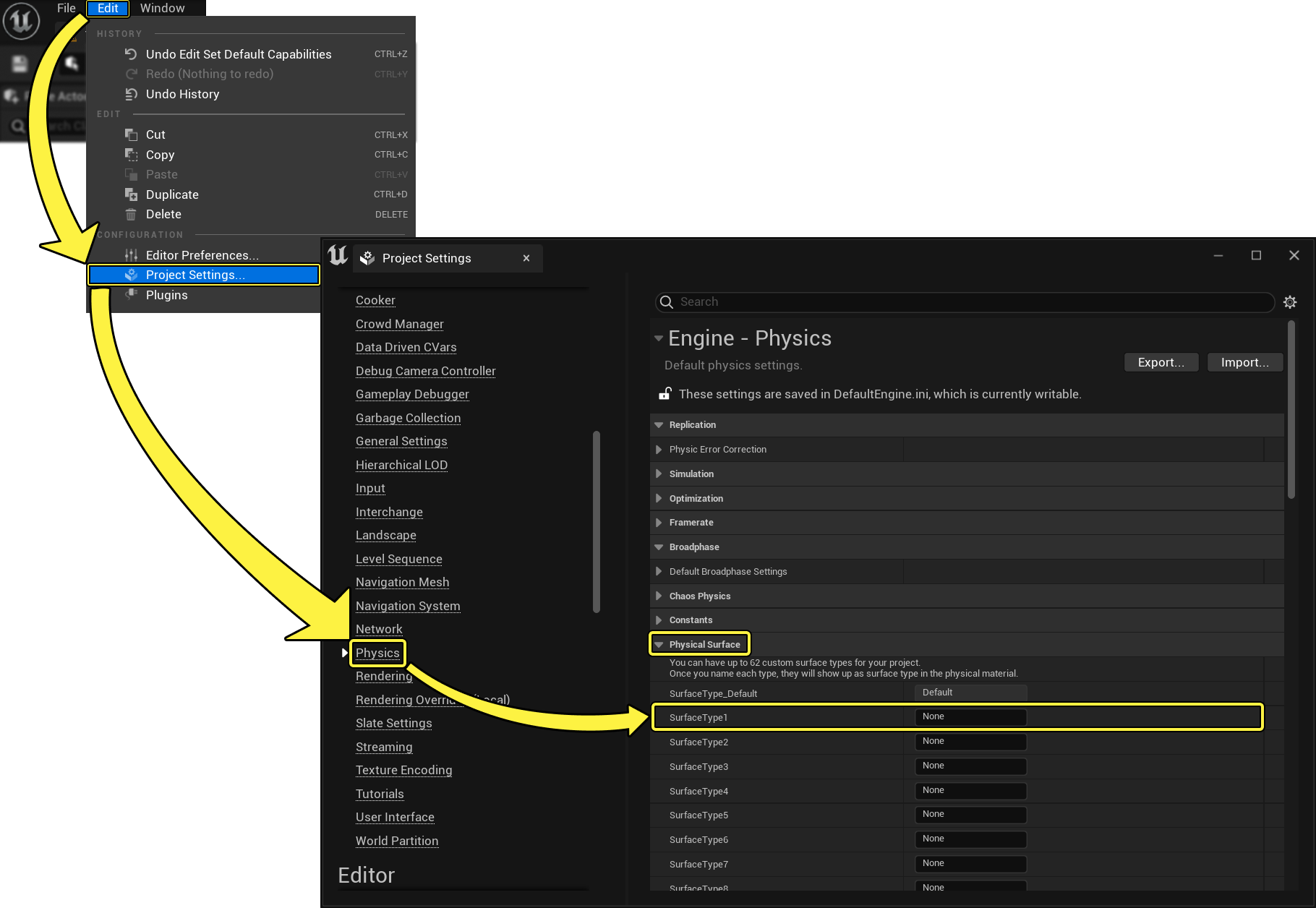
The following steps detail how to add a Physical Surface Type to your project.
- In the main menu, click on Edit -> Project Settings... -> Physics -> Physical Surface Category.
- Change the None in the Name field next to a SurfaceType# to a name descriptive of what you'd like the Surface Type to represent (concrete, flesh, wood, and so on).